Recent Version 17.1 Changes

We recently posted updated programs that include the following enhancements (Version 17.1.2.918):

  • EFTs can now be included on deposit slips in Tabs3 General Ledger Software. The Select Receipts to Deposit window in GLS now has an Other option, which includes receipts with a type of EFT, Client Funds, and Other.
  • The PracticeMaster Toolbar Plug-in for Corel WordPerfect has been updated to work with the newly released WordPerfect X7.
Demonstrating Tabs3 Connect Subscriptions

Some of you have been asking for a way to demonstrate the new Tabs3 Connect subscriptions.  You can use your NFR license of Tabs3 and PracticeMaster Platinum to configure a user of Tabs3 Connect to be “Billing” only, instead of “Billing and PracticeMaster”.  Logging in as this user will display Tabs3 Connect the same way as someone that has purchased a subscription license.  Please contact your sales rep for pricing to obtain NFR licenses.

Updating Contacts from Version 15 and Earlier

At our recent Reseller Forum, Brenda Bickford from our staff presented how to restructure duplicate contacts.  When firms are converting from Versions 15 and prior, duplicate contacts can be created if they have been inconsistent with their client data entry. Unfortunately, not everyone was able to attend her informative session, and many have requested that we offer a webinar recording, which is now available.  The recording itself is just about 40 minutes.

Changes to Software Delivery

Below is an e-mail recently sent by Scott Baird regarding our new software delivery methods.

———–

I am excited to announce some changes to our system for delivering and maintaining our software.  Starting today, existing clients can enable upgrades and additional product licenses over the internet, without a CD.  New clients will still receive a CD with their initial order.  We’ve also made another change in order to make the new Tabs3 Connect subscription possible.  Starting with Version 17.1.2, firms need to have an Internet connection on one of the computers running our programs so we can verify their licenses.

After you read the details below, let me know if you have questions.  Anyone in the Sales Department can also answer your questions when you place an order.

Scott

Enable an Order without a CD

In order to enable an order without a CD, a firm needs to be running Version 17.1.2 or later.  If your order will not include a CD, you will receive an email with installation instructions and your invoice as an attachment.

Upgrading

Firms adding timekeepers or users, or upgrading to multi-user, only need to run “Help|Check for Updates” and then restart the relevant program to enable the upgrade the day the order has been processed.  When you restart the software, it will check for a new authentication certificate from our server that will enable the upgrade.  As soon as you receive the email confirmation of your order, our server will have been updated and you can enable the upgrade.

If you don’t take these steps, the upgrade will happen automatically the day after the order is placed, when someone at the firm restarts the software.

Adding new products

Firms adding a new product (this includes the Platinum Server and Platinum SQL Server) will need to download and run the Web installer to enable new programs.  Instructions for how to do this will be included in the email confirmation of the order.  As soon as you receive that email confirmation, you can download and run the Web installer.

Updates

Firms on Version 16 or later that are purchasing updates to their licenses can download those updates within 2 business days.  Firms updating from versions before Version 16 need to receive a CD.

Shipping and Delivery Charges

Enabling orders for current firms is now our preferred way to deliver these orders.  There is no processing or delivery fee for these orders. However, there will be a $50 charge plus shipping for firms that request a CD when it is not required for an order.

Internet Access

In order to enable this change in our order processing, and in order to provide a Tabs3 Connect subscription, firms will need to have Internet access on at least one computer that runs our software.  Starting in Version 17.1.2, software license information will be stored in an authentication certificate.  The Internet is used to periodically renew the certificate automatically.  It must renew within 60 days of the last check or, after several pop-up warnings, the software will shut down.    Firms without Internet access will need to request a special certificate that can be renewed manually every 6 months.

Version 17 Update Notifications Sent

Tabs3 version 17 update notifications have been e-mailed out to all eligible users! Updates are no longer provided on CDs, which can get damaged or lost; instead, firms on maintenance can now download the update whenever they’re ready.

Version 16.2 users can click Help | Internet Resources | Software Update and then select the Version 16 to Version 17 Update option to download and install Version 17.1. Or, users can also access the download directly by visiting Tabs3.com/update171.

Tabs3 System Requirements

Microsoft ended support for Windows XP on April 8, 2014. As a result, we have been receiving inquiries regarding which operating systems we support. We no longer test Tabs3 and PracticeMaster running under Window XP because this operating system is no longer supported by its manufacturer.  Although Version 17 of our software runs under Windows XP, we cannot support any operating system or hardware related issues on workstations running under this discontinued operating system.

We test and support Tabs3 and PracticeMaster software running under Windows 8, Windows 7, and Windows Vista. The software also runs under Windows Server 2012, Windows Server 2008, and Windows Server 2003 (including Windows Server 2012 R2, Windows Server 2008 R2, and Windows Small Business Server 2011).  If your clients have computers running under Windows XP, we recommend you work with them to implement a plan to upgrade those operating systems and/or computers.

Additionally, we added “Internet access recommended” to our list of system requirements. You can find current system requirements in Knowledge Base article R11546 – Tabs3 and PracticeMaster Software System Requirements.

Pictures from the 2014 Reseller Forum

Below are a few pictures taken during the 2014 Reseller Forum.  Enjoy!

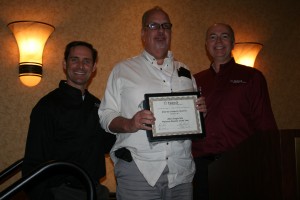
Paul Purdue proudly displays his Platinum award.

Paul Purdue proudly displays his Platinum award.

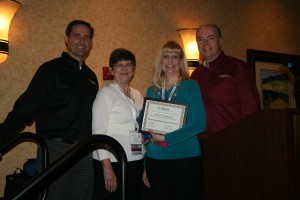
Judy Best and Rick Bernauer gladly accept their Tabs3 award.

Judy Best and Rick Bernauer gladly accept their Tabs3 award.

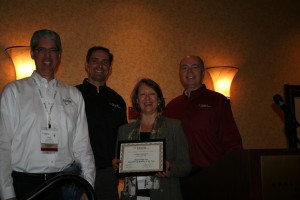
Britt & Sandy Award

Britt Lorish and Sandy Adams accept one of their awards on behalf of Affinity Consulting Group

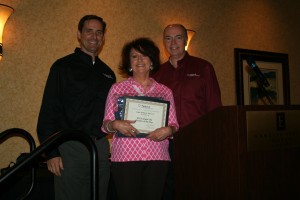
Judy Lassek is honored for being Single Site Reseller of the Year.  Congrats Judy!

Judy Lassek is honored for being Single Site Reseller of the Year. Congrats Judy!

Donald Coker is all smiles with his PracticeMaster award, and new shirt!

Donald Coker is all smiles with his PracticeMaster award, and new shirt!

Mary Jo Boyd, Cathy Prichard and Sheryn Bruehl get ready to start the conference.

Mary Jo Boyd, Cathy Prichard and Sheryn Bruehl get ready to start the conference.

2014 Reseller Forum – Rock Solid for 35 Years!

Software Technology, Inc. has been around for 35 years, so it’s not surprising that we have such a loyal and dedicated reseller channel.  Many of you give of your time and talents by speaking at the Forum, sharing your knowledge and insight.  We appreciate all you do, and we couldn’t host such a terrific event without your participation.  The closeness of this group was never more apparent than it was this year.  We consider our channel to be a big family, and appreciate having you all as part of it.

Thanks to all our 2014 Forum speakers!

Sandy Adams – Affinity Consulting Group

Stacy Devlin – Affinity Consulting Group

Britt Lorish – Affinity Consulting Group

Jennifer Ramovs – Affinity Consulting Group

Mary Jo Boyd – Attorney Computer Systems

LeAnn Cottrell – Attorney Computer Systems

Paul Purdue – Attorney Computer Systems

Bill Baker – Baker + Cadence Solutions

Jim Degnan – CompassPOINT Legal

Dominic Morinelli – Computer Network Services

Rick Bernauer – CyTek Corporation

Cathy Prichard – Law Firm Automation Inc

Judy Lassek – Legal Software Services

Jeff Krause – Solfecta LLC

Rachel Garver Kahn – The Garver Group Inc

New Reseller Pricing Sheet

A new reseller pricing sheet is available right here on eNews!  Changes include the addition of Tabs3 Connect subscription costs, a breakdown of software and maintenance costs, as well as maintenance renewal amounts.  This document can be found by clicking on Marketing, Pricing, then Reseller Pricing.

As a reminder, our Price Estimator is available to help you easily determine retail costs for new licenses.

Tabs3 Logo Shirts are Available

Once again, Tabs3 logo shirts are available for order.  They are perfect attire for trade shows or meetings with potential customers. Each shirt is custom ordered and embroidered with our logo. Shirts now have Tabs3 “Reliable Software. Trusted Service.” instead of Tabs3 PracticeMaster.  To purchase, fax or e-mail your order by May 16th, 2014.

Order Form:  http://www.tabs3.com/offers/shirts2014.pdf