We recently posted updated PracticeMaster programs that include the following enhancement (Version 17.1.3.1166):
- Improvements have been made to Word Document Assembly behavior when working with File Access separators and terminators.
We recently posted updated PracticeMaster programs that include the following enhancement (Version 17.1.3.1166):
As a reminder effective June 1, 2015, we will no longer support versions 15.1 and 15.2 of Tabs3 and PracticeMaster software. We will continue supporting version 15.3 through June 1, 2016. Knowledge Base article R11050 provides additional information about the product life cycle of Tabs3 and PracticeMaster software.
Please advise clients using these older versions that they will need to update in order to receive support after June 1 of this year. We stopped selling version 15.2 in January 2010, so it will have been supported for more than five years.
Each monthly User Newsletter this year will include a reminder on the sunsetting of version 15.1 and 15.2. Clients using version 15.1 or 15.2 also will be reminded each time they speak with a Technical Support Representative. Please contact the Sales Departments for update pricing information, or to place an order.
Apr 24
New white papers are now appearing in some of our advertisements. When viewers click on links to review these, they must provide contact information before downloading the document. We then use their information to generate sales leads. These white papers can be found on the Press Releases and Articles page on our web site. Feel free to share these with clients and prospects, or even use them in your own marketing.
This is where the white papers have been promoted:
New white papers:
Previous white papers:
When Version 18 is released this year, firms will no longer have the ability to use the legacy, stand-alone ODBC driver with Platinum SQL. The SQL version already includes a better, faster ODBC driver. A few firms that have upgraded to Platinum SQL have not yet taken the time to transfer their queries and reports to the SQL ODBC driver. If you are aware of firms that fit this scenario, you should let them know. We will be contacting firms in possession of both drivers before they receive Version 18 to be sure they’re aware of this change. We will also mention it in upcoming newsletter(s), and mention it during sales and support calls when appropriate.
Apr 22
As announced at the Reseller Forum last month, the sample data provided with the software now uses 2015 dates. We recently updated the downloadable trial software to also use the newer dates. Be sure to update your software to use the new dates if you don’t yet have the newer sample data (Help | Check for Updates).
The Check for Updates program will update the data in the Tutor folder under your Current Working Directory.
You can copy those files to your Current Working Directory. Alternatively, you can download the new Trial software. However, if you are using the NFR Platinum version, you will need to do the following after running Check for Updates.
Apr 8
We are currently working on identifying the changes we will be making to our Sample Data for our next release. If you have any thoughts or requests regarding what changes you would like us to consider making, please let me know. Send an e-mail to [email protected] or call me at (402) 423-1440, extension 451.
It was good to see many of you at the Forum last week! Those that attended were able to see what’s coming in Tabs3 and PracticeMaster, and provide input on future development. Everyone also gained valuable insight from tenured STI staff, and other consultants. Regardless of how long you’ve been consulting and supporting our products, there’s always something new to learn. We very much appreciate those willing to share their knowledge and experiences with others.
Thanks to all of our 2015 Forum speakers, and game show participants!
Speakers
10,000 Point Pyramid Game Show Participants (teams)
Mar 30

Britt Lorish and Sandy Adams receive their awards.
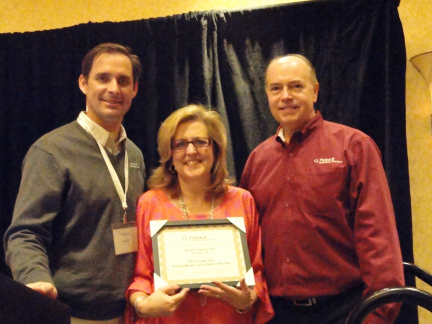
Donna Brown accepts her first ever award for her efforts selling PracticeMaster.

Paul Purdue graciously accepts his awards.
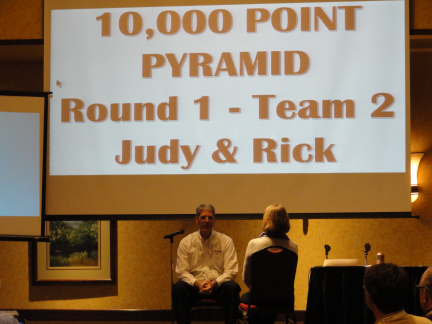
Rick Bernauer and Judy Best dominate the 10,000 Point Pyramid Game.
Once again, Tabs3 logo shirts are available for order. They are perfect attire for trade shows or meetings with potential customers. Each shirt is custom ordered and embroidered with our logo. In addition to logo shirts, various Tabs3 accessories are available such as totes, blankets, cinch packs and beach towels. Follow the link below for shirt and accessory options. To purchase, fax or e-mail your order by March 31st, 2015.
Order Form: https://www.tabs3.com/offers/shirts2015.pdf
Mar 10
We recently posted programs that include the following enhancements (Version 17.1.3.1092):