Archive for category Tips

Promotion to earn $100!

TSYS Merchant Solutions is currently running a promotion that pays you $100 every time you refer a client that activates a new merchant account. This opportunity will not cost you anything. Simply click the link below for a webinar recording that explains the details.

https://tabs3.webex.com/tabs3/ldr.php?RCID=0007714b18d1b07406ffe5632c9fc040

If you have any questions about setting up your account in the TSYS Affiliate Resource Center, please contact Craig Raridon (402-574-7986 or [email protected]).
Platinum Net 30 Reminder

As a reminder, we continue to offer a Net 30 promotion allowing firms to upgrade to Platinum without spending money up front. This offer is available for current users upgrading to Platinum, or Platinum SQL.  You can even add Tabs3 Connect subscriptions to the order. This is a perfect way for firms to test these advanced products.  Check out our Knowledge Base Article Platinum Version Net 30 Trial Plan for additional information.  If you have questions about the Net 30 terms, please contact your sales representative, or any member of the Sales Department.


Demonstrating Tabs3 Connect Subscriptions

Some of you have been asking for a way to demonstrate the new Tabs3 Connect subscriptions.  You can use your NFR license of Tabs3 and PracticeMaster Platinum to configure a user of Tabs3 Connect to be “Billing” only, instead of “Billing and PracticeMaster”.  Logging in as this user will display Tabs3 Connect the same way as someone that has purchased a subscription license.  Please contact your sales rep for pricing to obtain NFR licenses.

Proper use of Credit Card Merchant Accounts

When discussing credit card processing with clients and prospects, please keep in mind that the same merchant account configuration is used for both Tabs3 payments, as well as Client Funds transactions. Therefore, deposits will be made to the same bank account for both types of transactions.

Tabs3 Trust Accounting Software (TAS) must be used if your client needs to accept credit card transactions for client trust deposits. Before configuring a client to make a trust payment with a credit card, you should talk to your state bar about rules for accepting credit card payments for trust accounts because it differs by state. TSYS Merchant Solutions can provide your clients with a merchant account specifically designed for trust accounting which can take fees and chargebacks out of an operating account, instead of taking them out of a trust account, if that is what you need to satisfy your state bar trust requirements.

Unfortunately, we cannot support firms that attempt to use the same merchant account for Tabs3 payments and TAS deposits.  Please contact a member of Technical Support if you have questions.

Promoting Tabs3 Connect in your Signature Line

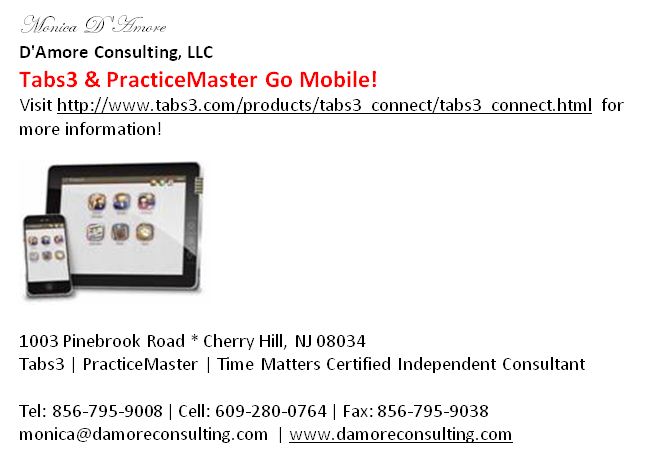
Looking for a clever way to promote Tabs3 Connect when you communicate with clients and prospects?  Check out the signature line used by one of our President’s Circle members, Monica D’Amore with D’Amore Consulting LLC.  Way to go Monica!

Monica Signature

Reminder about Drop Shipments

Remember, a signature is required by a customer any time you have orders drop-shipped to them via UPS, however, the package can be signed by anyone at the destination.  If no one is available to sign, UPS will make three delivery attempts before returning the package to us.  There is an $11 charge plus the cost to reship it when this happens.  Be sure to remind your customers.

Tips and Tricks | eNote dismissal is slow

Sometimes dismissing eNotes seems slow. What causes this?

Having the eNote List open can affect performance, particularly with larger eNote files (i.e., hundreds of thousands of records or more). Try closing the eNote List window to improve performance.

New Startup Option in PracticeMaster Version 16

Did you know that PracticeMaster has a startup option that lets you start the software and skip the Outlook synchronization? This option can be useful in situations where you want to temporarily disable Outlook integration. The startup option is named /NO_OUTLOOK. Read more about this startup option in the PracticeMaster help.

Offline Files Not Supported In Tabs3 & PracticeMaster

Tabs3 and PracticeMaster Version 16 software was updated recently to check for the use of Offline Files. Offline Files is the name of a Windows technology that allows the computer to store a copy of network files locally so you can continue working with the files when the network is not available. Because of the many problems inherent with this feature in conjunction with a multi-user database environment, we now check the status of this optional Windows feature. If the Offline Files feature is active with the Tabs3 and PracticeMaster software, Tabs3 and PracticeMaster will not run.

Knowledge Base article R11450, “Offline Files Not Supported in Tabs3 and PracticeMaster Software”, includes additional information and detailed instructions regarding how to disable Offline Files.

Tip for New Leads

Most leads we send to resellers and consultants are new prospects requesting information while visiting our web site.  The leads are distributed to you within one working day, and a trial CD with product information is immediately sent to the prospect. 

We often get questions back about firm size, type of practice, etc.  We send you all the information we have.  The best way to learn more is to locate their web site and spend a few minutes researching information that may help with an approach, as well as ongoing communications.  Just knowing a primary area of practice can help immensely in an initial e-mail. 

“PracticeMaster is perfect for a firm your size with med mal clients.  I’d be happy to show you how Document Assembly can pay for itself in less than a month”. 

This research is also a way to gather missing demographic information not already provided with the lead.  You can also read bios, check out personal interests, learn their favorite charities, see what awards they’ve won, and more.  This valuable information can be used to personally connect with a prospect and build rapport. You should then store their important information in PracticeMaster where you track your leads.