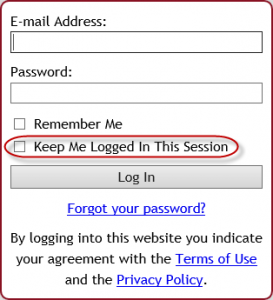
 Starting Monday, August 22, 2016, when you and your clients log into Tabs3 Connect, you will notice a new option on the login screen. The new Keep Me Logged in This Session check box can be selected to prevent you from being logged out due to inactivity. When this check box is selected while logging in, the Automatically log users off after xx minutes of inactivity setting is ignored (System Configuration | Platinum | Tabs3 Connect Administration). All users who have rights to Tabs3 Connect will have access to this login option. You do not have to download new programs to see this new check box. (Note: We recommend that this option not be used on public or mobile devices.)