Archive for August, 2012

Platinum Demo NFR and Sample Data

Several consultants have asked how to get sample data into the Demo NFR installation of Tabs3 and PracticeMaster Platinum. You can use the following procedures to create sample data in the Demo NFR software.

Note: Keep in mind that this procedure will overwrite any data you have already entered into the software.

Once you have installed the Demo NFR CD to a new directory, verify you are able to log in successfully and then close all programs. Then, copy the following data from the Tutor folder into the Current Working Directory, selecting to replace files when prompted. (Note: The Tutor folder is under the Current Working Directory).

  1. Copy all folders from the Tutor folder and their contents (i.e., DATABASE, ADMIN, ASSEMBLED, BUSLAW, CMSYSTEM, etc.)
  2. Next you need to copy all *.DAT file EXCEPT the STCFG.DAT and STCUSTID.DAT files using the following procedures:
    1. Rename the STCFG.DAT file in your Current Working Directory to STCFG2.DAT.
    2. Rename the STCUSTID.DAT file in your Current Working Directory to STCUSTID2.DAT.
    3. Copy all *.DAT files from the Tutor folder to your Current Working Directory.
    4. Delete the STCFG.DAT file in your Current Working Directory.
    5. Delete the STCUSTID.DAT file in your Current Working Directory.
    6. Rename the STCFG2.DAT file in your Current Working Directory to STCFG.DAT.
    7. Rename the STCUSTID2.DAT file in your Current Working Directory to STCUSTID.DAT.
  3. Copy all *.T3D files from the Tutor folder to your Current Working Directory.
  4. Copy all *.TRD files from the Tutor folder to your Current Working Directory.
  5. Copy all *.APD files from the Tutor folder to your Current Working Directory.
  6. Copy all *.T3R files from the Tutor folder to your Current Working Directory.
  7. Copy all *.GRW files from the Tutor folder to your Current Working Directory.
  8. Copy all *.T3L files from the Tutor folder to your Current Working Directory.
  9. Renumber the timekeepers numbered higher than 5.  Your NFR demo has a timekeeper limit of 5 whereas the sample data has 10 timekeepers.

You are now ready to demo the Platinum version software!

Note: Do not copy other files, such as *.EXE, or the software will not run as Platinum and you will need to reinstall the CD.
WorkFlows Enhancement

Good news regarding WorkFlows in Version 16.2!  We’ve managed to squeeze in yet another new feature.  You can now use expressions in WorkFlow Action fields when starting e-mail and eNote messages, or displaying messages. This new feature provides powerful flexibility allowing you to include field values, variables, and logic in these fields.  Be sure to review the What’s New section of Knowledge Base for a complete list once Version 16.2 is released. 

  • Start E-mail: To, Cc, Bcc, Subject, Body.
  • Start or Send eNote: To, Body.
  • Display Message: Title, Body. 

This feature is already available for download for those running the beta version of Version 16.2.  As a reminder, we’re expecting a release next month.  Get ready!

New Tradeshow Booth!

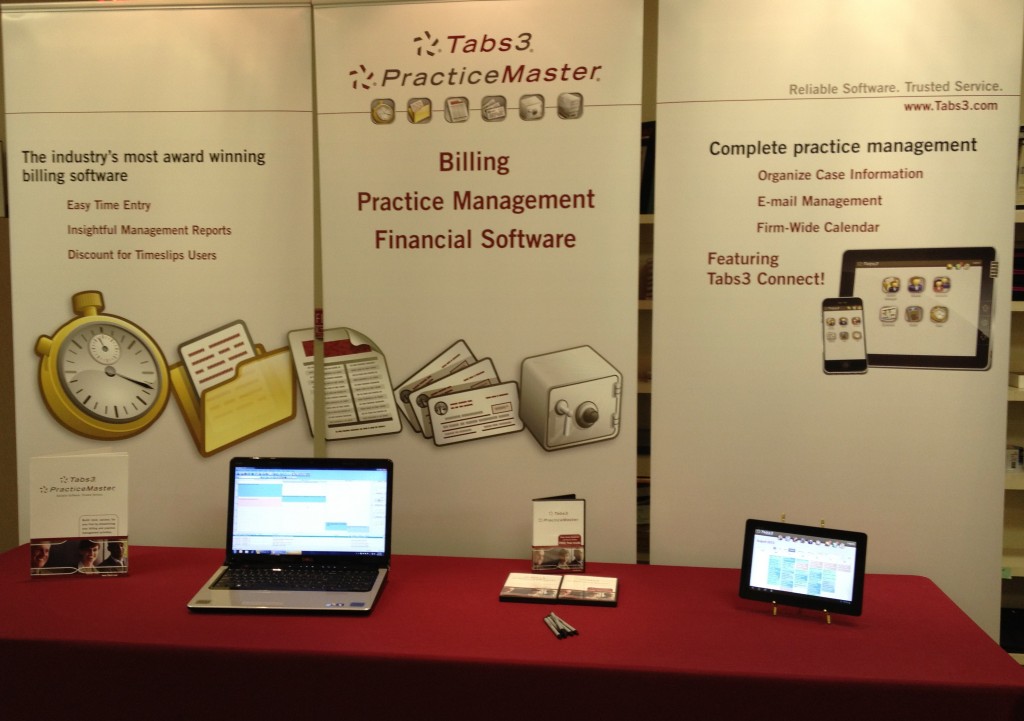
Check out our new tradeshow booth!  You’ll be impressed with our new look.  We rolled it out at the ABA Annual Meeting recently held in Chicago to rave reviews.  We’ve replaced the back drapes with new signs and a modern look.  I can’t lie, when combining this with our tablets that show off Tabs3 Connect, it even makes our sales reps look pretty good! 

 Banner 3

Changes to Trial Software

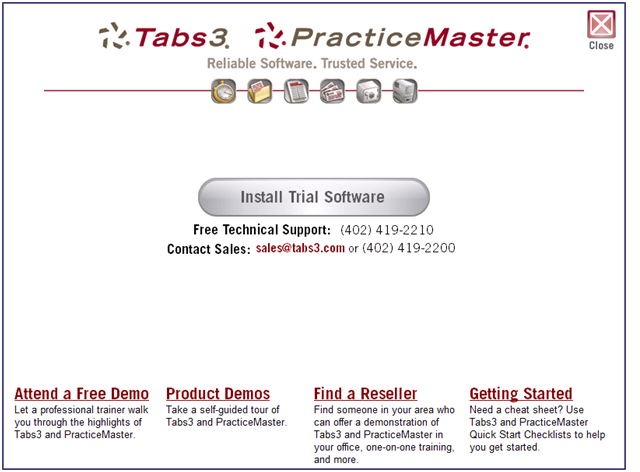
New changes are coming to the Trial Software! It’s been given a makeover, and will be shipping by the time Version 16.2 is released next month.  Check out some of the changes, and screen shot below. 

  • Trial software install is more prominent
  • Added Quick Start Checklists tailored to trial users
  • Products are already synched and integrated when installed
  • Bypassed customization screens (key types, integration, etc.)
  • Terminology changes (fees to professional services, recapitulation to recap)

Trial Software Pic

Tabs3 Connect and Version 16.2

We realize everyone is excited about the release of version 16.2, as are we!  We are currently in the beta phase, and more betas are needed before we can officially release version 16.2.  To prevent any delays with the release, be sure to get your clients signed up for beta by having them e-mail [email protected].   

Tabs3 Connect Licensing

As mentioned previously, Platinum levels of Tabs3 and PracticeMaster Premier on maintenance are both required to use the new Tabs3 Connect feature found in version 16.2.  Remember, one active PracticeMaster user license is required for each user set up to use Tabs3 Connect.

Platinum users of PracticeMaster Basic 

At one time, we did offer a Platinum level of PracticeMaster Basic.  Although this isn’t sold any more, there is still a small group of firms using it.  If you have one of these customers, make sure they are aware an upgrade to PracticeMaster Premier is needed to use Tabs3 Connect.